
Trying the Raspberry Pi Touchscreen 2, Fun Experiment, But Not the Tablet I Hoped For
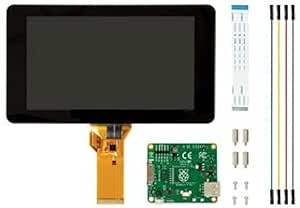
I recently picked up the 7-inch Raspberry Pi Touchscreen 2 and paired it with a spare Raspberry Pi 5 that was sitting unused. My goal was simple, build a lightweight, inexpensive Linux tablet that I could realistically use day to day. What I ended up with instead was a mix of enjoyable tinkering, unexpected limitations, and a clear reminder that the Raspberry Pi, paired with the official touchscreen, is not yet ready for a true touch-first experience.
That said, I do wonder whether others have had better luck with this exact hardware setup. I have seen Reddit posts and videos showing Raspberry Pis powering airport terminals, kiosks, and other commercial touch displays. Clearly, Pi-based touch systems can work, but I am not convinced that this particular display is part of that success story.
First Impressions, Solid Hardware, But Strange Decisions
Assembling the Pi and the display was refreshingly straightforward. The DSI cable clicks neatly into place on the Pi, power is delivered through the GPIO pins, and the Pi mounts cleanly onto the back of the panel with minimal effort.
A few things stood out immediately:
- Wide bezel: It feels like an older tablet design, reminiscent of the original iPad, with a lot of unused space around the screen.
- No included case: The Pi remains exposed unless you purchase a third-party enclosure. I opted for a Waveshare back case, it works fine, but it feels like something that should have been included with the official touchscreen.
From a hardware perspective, the display is inexpensive, functions as advertised, and feels reasonably well built. Still, the exposed Pi and oversized bezel give the whole setup more of a prototype or development kit vibe than a finished consumer product.
Software Reality Check, Ubuntu Is Not Working (Yet)
Once the display was connected, my first instinct was to install Ubuntu 24.04. This is where my enthusiasm began to fade.
At the time of testing, the Raspberry Pi Touchscreen 2 simply does not work with Ubuntu 24.04. There was no display output at all.
After some digging, the cause became clear. Ubuntu 24.04 ships with an outdated boot EEPROM from late 2023, which is responsible for initializing hardware on the Pi. This firmware is incompatible with the Touchscreen 2.
Newer EEPROM releases from June 2024 and December 2024 reportedly resolve this issue. It has also been claimed that Ubuntu 25.04 includes the fix out of the box. Unfortunately, when I tested Ubuntu 25.04, I ran into the same problem, the touchscreen did not power on, forcing me to fall back to a micro HDMI display just to use the system.
BassOS Got Me Interested in a Pi Tablet, Then Left Me Disappointed
After Ubuntu failed, I turned to BassOS, an Android-based operating system available through the Raspberry Pi Imager. Previously, there were other Android builds for the Pi, but BassOS stood out by advertising support for Android 16.
I initially tested BassOS in a traditional setup using an external HDMI display, and I was genuinely impressed. Being able to run Android 16 was refreshing, especially since my existing Android tablets are low-end models that rarely receive updates. One of them is still stuck on Android 13 or 14.
This experience reignited my interest in turning the Pi 5 into a tablet, the idea of running a modern Android version on affordable hardware was very appealing.
Unfortunately, BassOS does not support the Raspberry Pi Touchscreen 2 either, and I was unable to find any documentation or forum posts offering a workaround. That effectively blocked the Android-on-Pi tablet idea entirely with this display.
Trying Plasma Mobile, GNOME, and Other UI Experiments
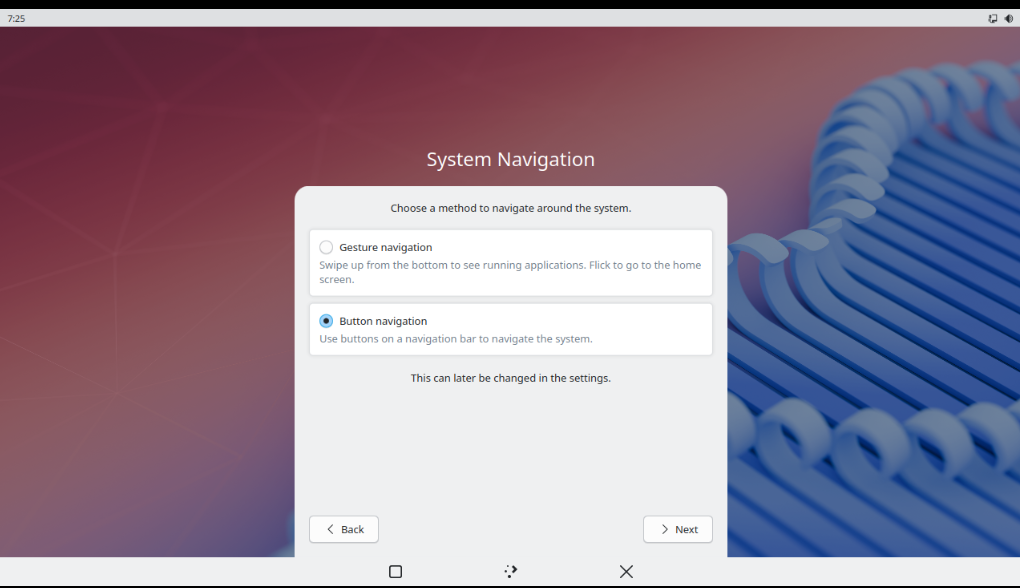
The experience with Plasma Mobile was an interesting one with this particular touchscreen, since the interface evoked elements of Android.
Plasma Mobile
Pros:
- Clean, Android/iOS-like visual design
- Pull-down control center works
- App drawer gesture functions, but only on the home screen
Cons:
- Most gestures do not respond reliably
- Gestures configured in settings often do nothing
- Touch keyboard does not appear at login unless manually triggered
- Many mobile OS features feel partially implemented
Visually, Plasma Mobile looks the part, but it does not behave like a complete mobile OS on this hardware. The interface mirrors Android in some ways, featuring three buttons at the bottom of the screen, a square, the KDE logo for the app menu, and an X.
In theory:
- The square button should show recent apps in a card-based layout
- The KDE logo should open the app drawer
- The X should close the current app
In practice, only the app menu button worked reliably. The recent apps view never functioned for me, and overall responsiveness was inconsistent.
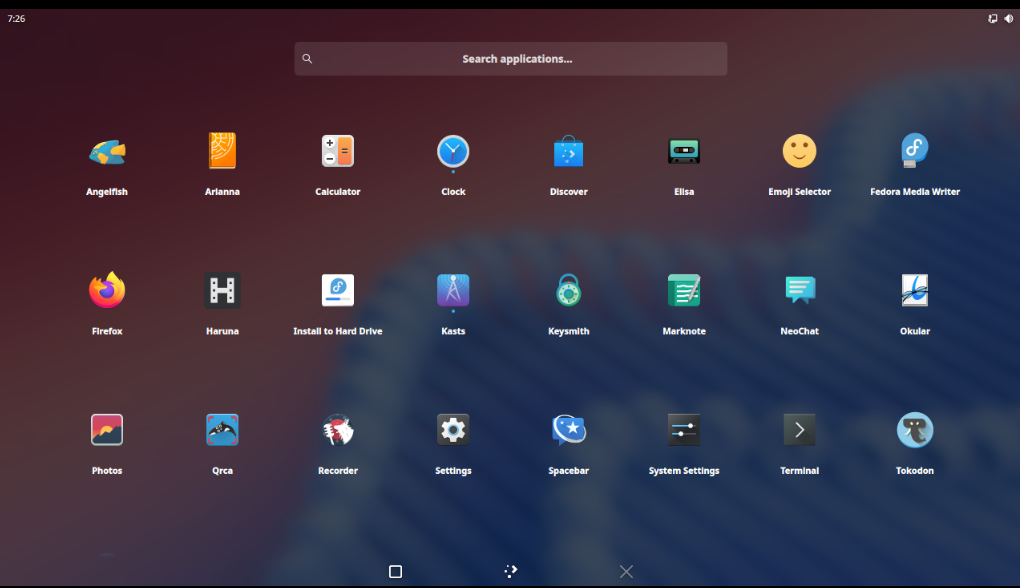
To rule out hardware issues, I also tested Plasma Mobile in a virtual machine using the Fedora Plasma Mobile ISO. While this was on x86 hardware and without a touchscreen, the UI was noticeably more responsive. The bottom navigation buttons worked instantly, animations were smooth, and the overall experience felt far more complete. This leads me to suspect that ARM or aarch64 support for mobile Linux desktops may still be a secondary priority.
GNOME
GNOME felt more touch-aware from the outset and came closer to what I envisioned for a tablet experience.
Pros:
- Clean, touch-friendly app drawer
- Extensions like Dash to Dock improve usability
- GNOME Tweaks restores window controls when needed
Cons:
- Gestures remained inconsistent
- Long-press context menus failed in some applications
- Touch keyboard often required multiple taps to appear
- Waking from sleep required pressing the physical power button
- Some apps, such as GNOME Terminal, did not respond properly to tap-and-hold input
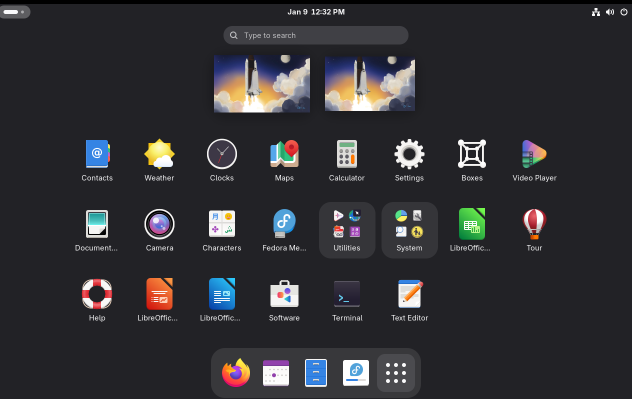
Even so, gesture support felt limited compared to iOS or iPadOS, where multiple swipe types and finger counts are consistently recognized and intuitive.
YouTube Comparison, Leepspvideo Using Plasma Mobile 6
YouTube creator Leepspvideo, who frequently covers Raspberry Pi content, shared a video showcasing Plasma Mobile on a Pi 5 with a touchscreen. His experience looked dramatically better than mine. Gestures were smooth, responsive, and reliable.
The most likely difference is the display hardware. He was using a third-party touchscreen that connects via USB and includes an additional controller board, rather than relying on the Pi Touchscreen 2’s direct DSI connection.
In particular, one SunFounder touchscreen he reviewed showed significantly better responsiveness. Gesture input was immediate, whereas the official Raspberry Pi touchscreen consistently felt sluggish and delayed. In side-by-side comparisons, the third-party displays clearly outperform the official one for touch responsiveness.
The Core Issue, No Touch-First OS Yet
The hardware itself is not inherently bad, but the software stack is clearly holding it back:
- Raspberry Pi OS: Touch works, but it simply replaces the mouse with your finger
- Plasma Mobile: Visually promising, but buggy and incomplete on this setup
- GNOME: The closest match, but still inconsistent and unreliable
- Ubuntu: Effectively broken for now with this display
- BassOS and Android-based builds: Completely unsupported
Despite being inexpensive and easy to install, the display remains limited until the surrounding software ecosystem matures.
Is the Raspberry Pi Touchscreen 2 Worth Buying?
For DIY dashboards, kiosks, or hobby projects: Yes. It is affordable, compact, and integrates neatly into the Raspberry Pi ecosystem.
For a Linux tablet or mobile experience: No. Firmware issues, inconsistent gesture support, a small screen, and a wide bezel make it impractical.
The Pi uses the aarch64 ARM architecture, which could be a contributing factor. That said, most Android phones and tablets also use ARM CPUs, so architecture alone should not be the primary limitation.
For a better Linux tablet experience, x86-based devices remain the most practical option. Commonly recommended choices include:
- Juno Tablet 4, Intel N150 with proper Linux drivers and NVMe storage
- Minisforum V3 2-in-1, powerful but with mixed brand reputation
- Used Microsoft Surface devices flashed with Linux
- Any x86 tablet with strong community support
ARM Linux tablets do exist, but they rarely offer complete desktop or touch-first experiences.
Final Thoughts, Fun to Experiment With, Not a Tablet Replacement
The Raspberry Pi Touchscreen 2 is an enjoyable piece of hardware for hobbyists. It might work well for dashboards, kiosks, and dedicated control panels, as long as it is using a version of Linux that supports the touchscreen. When judged as a general-purpose tablet, it falls short.
If you are looking for a polished Linux tablet with intuitive gestures and consistent touch behavior, you will likely be disappointed. Linux, in general, is still not designed with touch as a first-class input method, and that limitation becomes very apparent in daily use.
This experience reminded me of a recent video by Mutahar from Some Ordinary Gamers, where he discussed Linux phones and the Jolla Phone, highlighting how poorly traditional Linux environments adapt to touchscreens, which is sad considering Android is based on the Linux kernel. That observation closely mirrors what I experienced here.
While the setup is usable, it never feels cohesive or touch-native in the way Android or iPadOS does. For now, touch-first Linux on the Raspberry Pi still has a long way to go, making the Touchscreen 2 far better suited for experimentation than for anyone seeking a true tablet replacement, unless they purchase a touchscreen from a different vendor, like Waveshare or SunFounder.