
Zorin OS - A Practical and Familiar Alternative in a Post Windows 10 Landscape
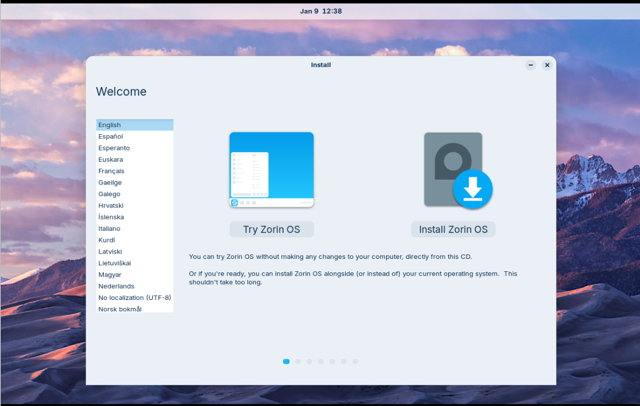
With the end of official support for Windows 10 now reached, many users are reassessing their long term operating system options. This shift has renewed interest in several Linux distributions, including Zorin OS, which has seen increased attention following Microsofts announcement that Windows 10 would no longer receive standard updates, aside from limited exceptions such as continued support arrangements within the European Union.
Zorin OS positions itself as a practical, user focused alternative rather than a radical reimagining of desktop computing. Instead of catering to a niche audience or targeting a specific use case such as gaming, as seen with distributions like Nobara Linux, Zorin OS focuses on accessibility and familiarity.
A Balanced Approach to Desktop Computing
At its core, Zorin OS functions as a transitional operating system. It is designed to help users migrate from Windows with minimal disruption to established workflows. The default desktop layout closely resembles Windows 10 and Windows 11, complete with a familiar application menu, taskbar, and system tray.
This approach lowers the barrier to entry for users new to Linux and makes Zorin OS appealing for individuals, schools, and organizations looking to transition away from Windows without extensive retraining.
Desktop Layouts as a Primary Feature
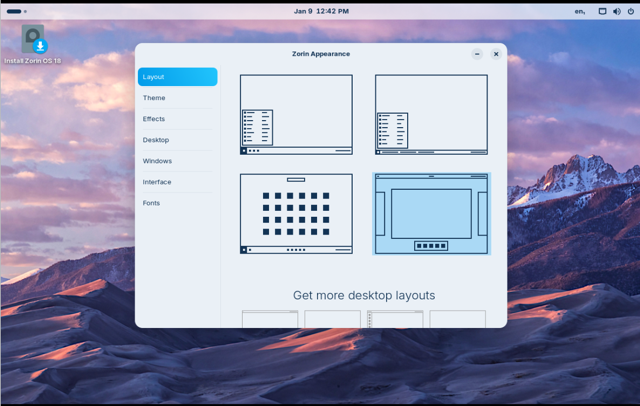
Layouts are presented as first class features, allowing users to quickly reshape the desktop to match familiar environments. This focus becomes even more apparent in Zorin OS Pro, which takes a different approach to what a paid Linux distribution offers.
A Distinct Interpretation of the Pro Model
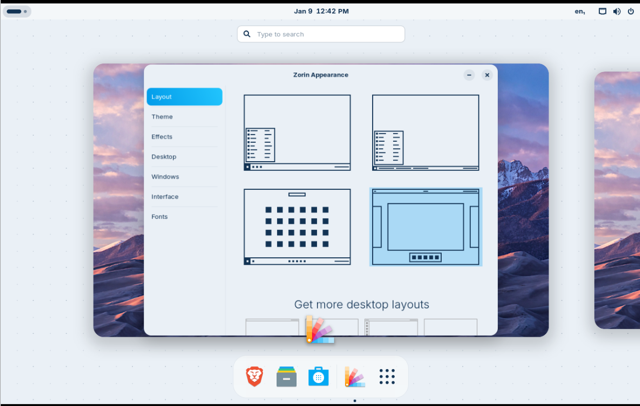
The Pro edition provides access to a wider selection of desktop layouts, including:
Pro Layouts:
- macOS like layout
- Windows 11 like layout
- Windows Classic like layout
- ChromeOS like layout
- Compact panel layout
- Ubuntu like layout
- elementary OS like layout
- Linux Mint like layout
Standard Layouts:
- Windows like layout
- Touch optimized layout
- Windows List like layout
- GNOME Shell like layout
These layouts go beyond simple themes and attempt to replicate familiar workflows and interaction patterns.
In addition to layout options, Zorin OS Pro includes:
- Pre installed productivity and creative software
- Access to technical support
- Additional tools aimed at professional use cases
- A direct way to support ongoing development
One area that remains unclear is what qualifies as professional or creative software. It is not obvious whether this simply means applications like GIMP, Krita, Inkscape, or VS Code being pre installed. Since all of these tools are freely available and easily installed on any Linux system, the Pro value proposition in this area feels more like convenience than exclusivity.
Brief Hands On Experience With Zorin OS
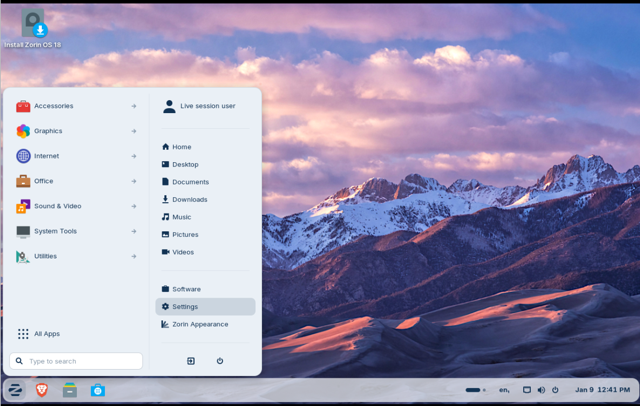
Its main distinguishing features are the custom visual style, curated extensions, and the ability to switch between predefined desktop layouts. In contrast, something like Linux Mint, which is also based on Ubuntu, offers a different experience across the Cinnamon and MATE desktops that follow more traditional paradigms. Linux Mint also includes pre-installed multimedia codecs, Mint-specific update tools, Flatpak and Flathub support by default, and prioritizes X11 over Wayland. Snap is not included, and software installation relies on apt, Flatpak, and AppImage. Zorin also provides a polished welcome wizard for initial setup, making it feel like a familiar, user-friendly Ubuntu variant rather than a fundamentally different distribution.
Supporting Development Through User Choice
By centering its Pro edition around usability, layout flexibility, and direct developer support, Zorin OS presents an alternative funding model within the Linux ecosystem. Users who purchase the Pro edition are not just paying for features but actively contributing to the sustainability of the project.
This model works well for users who want a polished experience without extensive manual customization and who are comfortable supporting development financially.
Conclusion
Zorin OS occupies a unique space among modern Linux distributions. Its focus on familiarity, accessibility, and presentation makes it a compelling option for users transitioning away from Windows 10 or seeking a refined Linux desktop.
Rather than redefining desktop computing, Zorin OS prioritizes reducing friction, preserving familiar workflows, and offering choice. These qualities are increasingly valuable as more users consider alternatives to mainstream operating systems.
Resources: